Showing posts with label problem solving. Show all posts

Thursday, December 4, 2014

Kids Who Code: Meeting Other Coders

As we build momentum for our Hour of Code event, we continue to learn more about coding and computer science!  Thanks to Skype in the Classroom, today we had an exciting four-classroom Skype conference call about coding.  Our Kindergarten friends in Mrs. Caldwell's class were on the call and we met students from Ms. Page's class at Forest Hills Elementary in Wilmington, NC and from Mrs. Lowe's Class in Winnipeg, MB.  Each class shared some of their experiences with coding and students had the opportunity to share some of the coding tools they've been using. 

During the call, Ms. Page's class showed us The Foos  - a coding tool that we'd never seen before.  They explained how much they enjoyed  the app and even gave us a quick demonstration of how it works. As soon as we concluded our call, my students were asking to try out The Foos, as recommended by Ms. Page's class.     Since we were so excited to try it out, we downloaded it this morning and spent our coding time this afternoon exploring this new tool.  I was impressed at my students' ability to work with a brand new tool so confidently - they really are becoming coding experts (not to mention great problem solvers and critical thinkers -wow!)  I watched and listened as students tackled new programming tasks and worked with peers to overcome challenges.  It is very evident that students are building their skills as young coders!

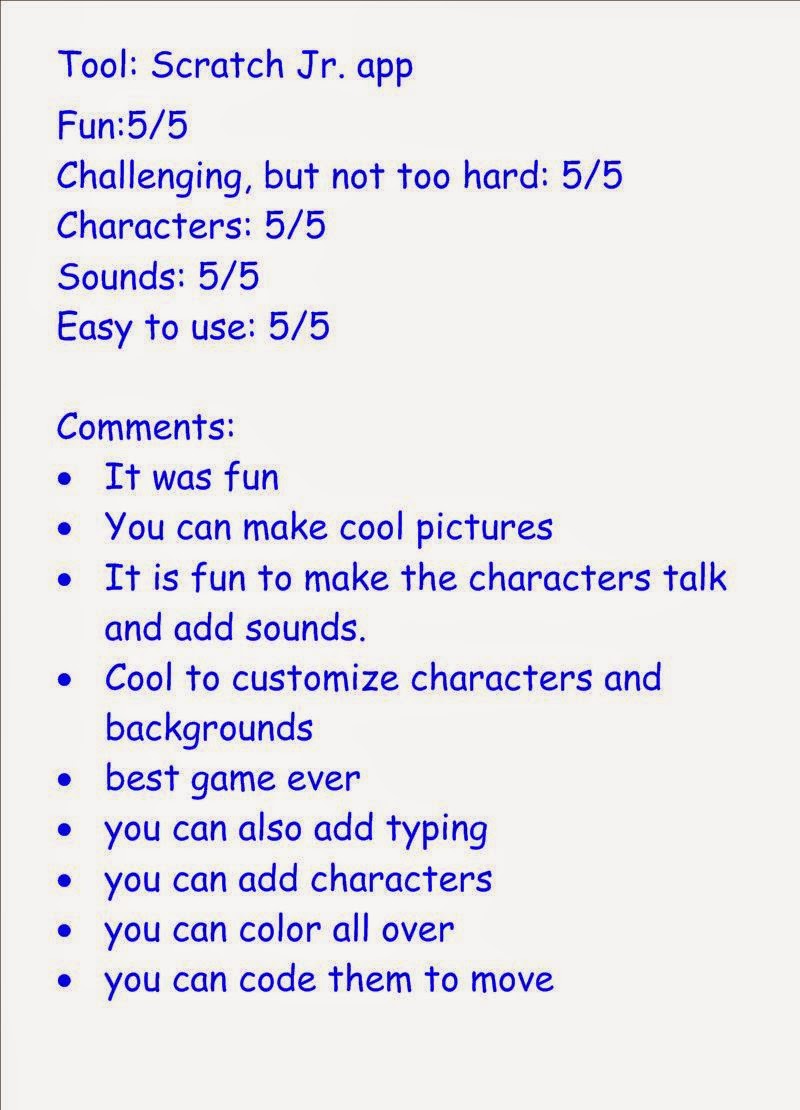
As we have done with other coding tools we've tried, we took time after our initial exploration to rate the app.  It was quite popular with many students.  I noticed it was very easy for them to get started, yet challenging enough content-wise. I think The Foos are here to stay...

Monday, November 24, 2014

Kids Who Code: Exploring and Evaluating Coding Tools

The Kids Who Code project is well underway in our classroom!  Our class has been exploring coding for the last couple of weeks.  We've learned that coding is "giving computers instructions/directions" and students have had the chance to try out a variety of coding tools.  My students have learned a lot (and so have I!)

Here is what we've been up to:

Exploration Time:
Students have used different devices to explore a variety of coding tools including Lightbot, Hopscotch, Kodable, Code Monkey, ScratchJr., Tynker and Daisy the Dinosaur.  These initial explorations were typically preceded by a short demonstration from me or a short video tutorial.  The instructions/demonstrations were minimal since I have limited experience with these tools and I wanted students to discover things on their own.  Due to the number of devices in our classroom, students worked in pairs or small groups to spend about 10-15 minutes with each app over the course of about 1 week. 

Evaluation and Feedback:
We decided on some important characteristics of coding tools and, after trying each tool, students used a simple 5 point rating scale to evaluate the tools.  Students also gave comments and suggestions.  In response to a student suggestion, we sent these evaluations to the creators of the app/tool via Twitter.  (A couple of them even responded to thank us for our feedback!). 


Kids Who Code Code-a-thon:

We are gearing up to take part in Hour of Code, which is an international movement to encourage people to try coding.  The Hour of Code week is from December 8-14th this year and we are co-hosting our own event to celebrate.  Working with Mrs. Caldwell and the Oak Lake Community School Kindergartens, we are organizing the Kids Who Code Code-a-thon.  During this event, my students will act as "coding experts" and teach others about coding.  With this goal in mind, students selected a coding tool to "specialize" in for the event.  We are now working in small teams to become experts with our selected tools and develop activities for Code-a-thon attendees to try out when they visit our stations at the event!  Meanwhile, we are supporting the Kindergartens as they plan the details of hosting the event at their school.  We are very excited to continue with this learning project!


Wednesday, June 18, 2014

Baseball Math Problem Solving

We wrote this problem for others to solve.  Please send us your answer or comment with your answer.  You can Tweet @MrsObachsClass or email lobach@pwsd.ca

Tuesday, October 22, 2013

Problem Solving

In grade 1 today, we worked on some problem solving.  Although we've solved a few problems together, this was a special activity for learning how to be problem solvers.  First, we listened to this funny song that explains some problem solving steps to follow.  We reviewed what we learned and outlined the steps our interactive whiteboard.  Then, we also added some problem solving strategies that we could plan to use. 

Problem Solving

Understand
What do I know?

Plan
use math like adding
use counters
draw a picture
guess and check

Solve

Check

Next, we tried solving a problem about apples together as a class.  Some of us guessed answers and we checked them together.  Someone drew a picture for us.  Another person took real apples and put them into a shopping bag to find an answer.  We came up with 3 different correct solutions, which we decided was okay since problems can have different solutions as long as they make sense with what we know about the problem. 

Finally, it was time to try some problem solving on our own.  I read the problem with students and they made their own plans to solve it.  Some students drew pictures, some knew an addition fact that could help them and some used counters.   After we had all solved the problem, we met at the carpet to share the different answers we found.  Here's the problem we solved and all of the different answers we found:

Tuesday, October 8, 2013

Can you solve this problem?


We are learning about making 10.  Some ways we tried solving this problem were: counting on, counting the empty squares, filling the squares with counters, counting back.