Showing posts with label #MSFTEDU. Show all posts

Tuesday, June 21, 2016

Minecraft Animal Homes

This year, a group of Canadian Microsoft Expert Educators have been working on using Minecraft for learning.  I was inspired by the other educators ideas for using Minecraft in the classroom, so I decided to give it a try with my grade 1 students.  One of our science outcomes is that students will be able to design a representation of a habitat/home that meets the needs of a Manitoba animal, so our Minecraft design challenge focused on that.  We learned about the characteristics and needs of living things as we worked on this project.  Below I have outlined the steps we took in this project.

Brainstorming: Our whole class worked together to brainstorm a list of Manitoba animals.

Setting criteria: We worked together to set criteria for what our animal home designs should include. 

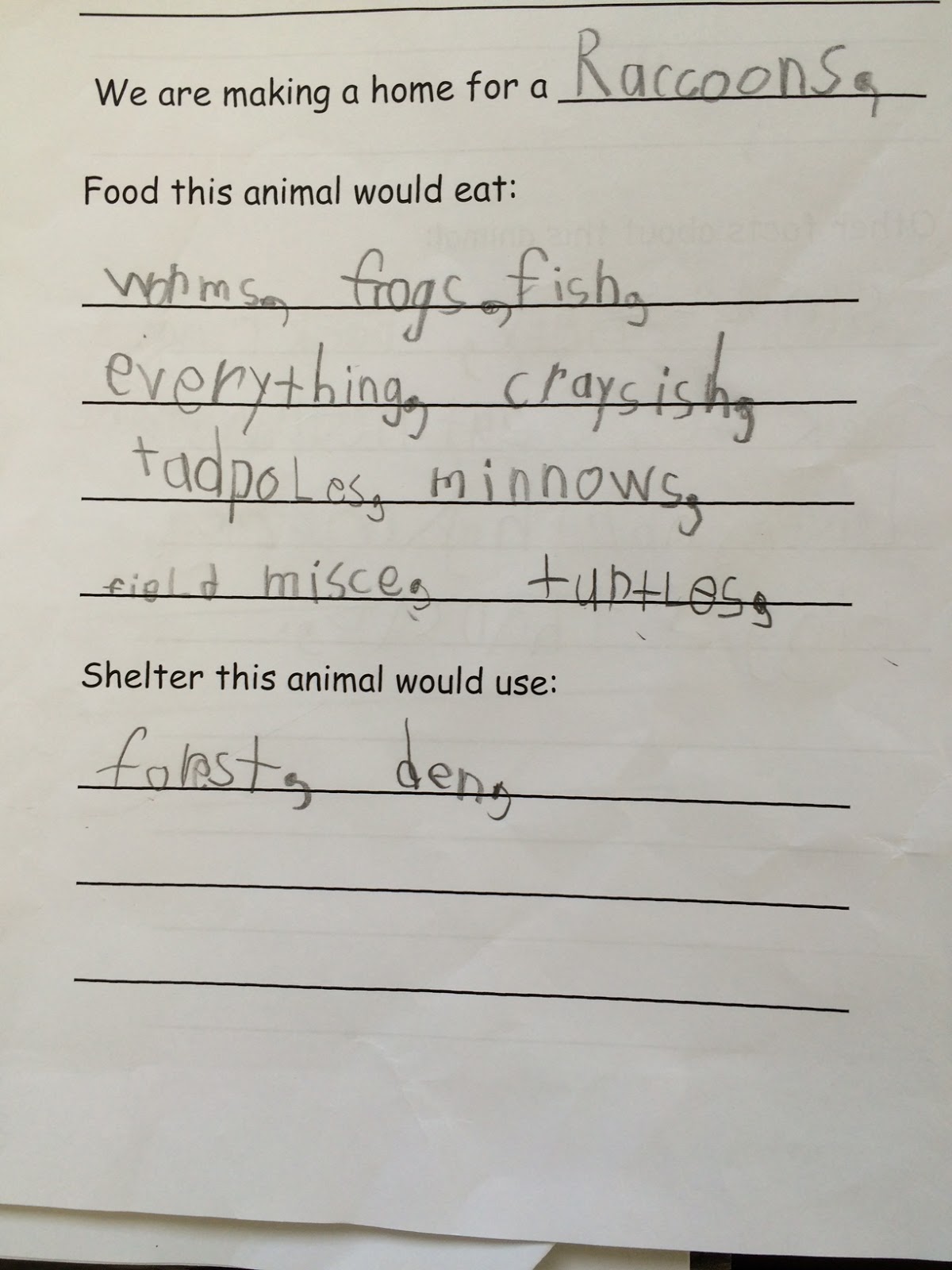
Research: Once we set criteria for the task, I put students into small group and they selected an animal from our list to research.  Groups of three students researched what that animal would need for food and shelter and completed the provided template.


Designing:  Next, students used what they learned in their research to design a representation of an animal home for their animal.  As students did this, I was able to walk around the room and have discussions with students about why they were making certain design choices and how their habitats would meet animal needs.  From those conversations, I could tell that my students had already learned a lot.


Sharing: We tried to present our Minecraft worlds on our interactive whiteboard, but that presentation style didn't work well, so we came up with a new plan to share our work.  Each group took a few screenshots to highlight how their habitat design met the basic needs of their animal.  They added short captions to each screenshot and then created short videos which were shared with the whole class.


Thursday, October 8, 2015

Kids Who Code: Kodable

If you've been following our blog, you know that we've started coding in Grade 1!  We have successfully been using a fun, kid-friendly tool called Kodable. 

Today, we took some time to reflect and share our ideas about Kodable.  We are sending this information on to the Kodable organization so they know what our class thinks about their coding tool!  

Coding is very fun and I like getting to higher levels - B.
I like to play Kodable with a friend. - J.
I don't like when the fuzz gets stuck. Then we have to try again. - B
I really like when it is on the last arrow, then I've done it all right.  I did it. - J.
I did like that the levels were hard enough for me.  - A.
I like the hard levels because I smash into the bugs in the dirt. - C.
I like when I unlock levels.  - C.
I love hard levels because they are fun.  - L.
I like unlocking new fuzzes.  The special commands are hard.  - R.
I like checking the path by tracing it with my finger. - A.
Is there going to be a Kodable 2 or an update for Kodable? - A.
I've unlocked Ruby Fuzz and Shadow Fuzz at home! - A.
I like to play the game Kodable because it helps me get better at coding and it is fun.  - M.
I like when I don't get it right because I can always try again. - K.


I was very impressed with the thoughtful and honest responses from my students.  We will be trying out some new coding tools in the upcoming weeks, but I am sure Kodable will remain a class favourite!

Wednesday, October 7, 2015

Kids Who Code: We've Started Coding!


Our class has started exploring coding!   This is the basic information about coding that I sent home to families last week.  Read on to find out more about coding!
What is coding?
According to Code Conquest, "Coding is what makes it possible for us to create computer software, apps and websites. Your browser, your OS, the apps on your phone, Facebook ... they’re all made with code." 

Coding is what many of us call "computer science" or "computer programming" and, in the simplest terms, coding is how we give computers directions/instructions. 

Why teach coding? 
Personally, I feel that coding helps students develop critical-thinking and problem-solving skills.  Coding also provides opportunities for practicing math, reading and art/design.  Although my students are still very young, coding is also important in MANY jobs!  I think it is great that young learners can try out coding in a kid-friendly, fun situation before they get older and are intimidated by the idea of “computer science”. 

How are we learning to code?
Since there is a strong movement to include coding in schools, there are a number of kid-friendly coding tools now available.  At this point, our class is using a fun tool called Kodable to learn about giving coding directions.  Kodable is available as a free iOS app or you can play/download it online at http://game.kodable.com/  


Tuesday, October 6, 2015

Global Read Aloud: Chopsticks & Meeting 2KG

Today our Global Read Aloud books by Amy Krouse Rosenthal arrived!  We were so excited to see our set of books for this reading project. 


Right away, we decided to read aloud this week's featured book, Chopsticks.  Our class thought it was funny and we enjoyed the beautiful illustrations.

We also met another GRA partner classroom today!  The 2KG class in Bangkok, Thailand sent us a video to say hello.  Using Bing Maps, we added their city to our map and looked at how far away they are from us! 

We were also surprised to learn that at 11AM this morning in Canada it was already 11PM in Thailand.  In order to share our ideas and learn with our new friends, we will have to use messages and videos rather than live video calls.  We started by sharing ideas on this Padlet board created by 2KG teachers Ms. Jennifer Baccon & Ms. Kathryn Grossi.  Their focus question for us was "How did you connect to this book?"  Many students in our class could relate to being separated from a special person (just like the Chopsticks decide to spend time apart in the book).

We are looking forward to learning more about the 2KG class and sharing our ideas about our read aloud books!


Monday, October 5, 2015

Global Read Aloud: Kickoff Day!

The Global Read Aloud starts today and our class is a part of this awesome project!  This collaborative project was started by a teacher in the United States, Mrs. Pernille Ripp.  Her idea was to use books to connect people all over the world.  This year, over 500,000 participants will be reading and learning together, sharing author studies and books selected for the 2015 Global Read Aloud! 

The Global Read Aloud (GRA) author we are studying is Amy Krouse Rosenthal.  Using technology such as Skype and Twitter, we will work together with other classrooms to learn and share.  This is a great opportunity to develop our skills in so many areas.  Not only will we be building our literacy skills, but we will also practice skilled communication, learn about other communities and people, explore digital citizenship and more!

Today, we kicked off with our very first Skype in the Classroom call!  We met Mrs. Grodek's first grade class from Brooklyn, Ohio and had the chance to ask them some questions.  It was exciting to meet our first GRA partners! We found out about their community and we noticed some similarities and differences between our communities.  Our class practiced active listening when Mrs. Grodek's students answered our questions. 

Before the call, we decided on some Skype rules for our class: 

Then, we used Bing maps to find out where Brooklyn is and how far it is from our school!  
 
 It was a great Skype call and a great kickoff to the GRA!

Thursday, December 4, 2014

Kids Who Code: Meeting Other Coders

As we build momentum for our Hour of Code event, we continue to learn more about coding and computer science!  Thanks to Skype in the Classroom, today we had an exciting four-classroom Skype conference call about coding.  Our Kindergarten friends in Mrs. Caldwell's class were on the call and we met students from Ms. Page's class at Forest Hills Elementary in Wilmington, NC and from Mrs. Lowe's Class in Winnipeg, MB.  Each class shared some of their experiences with coding and students had the opportunity to share some of the coding tools they've been using. 

During the call, Ms. Page's class showed us The Foos  - a coding tool that we'd never seen before.  They explained how much they enjoyed  the app and even gave us a quick demonstration of how it works. As soon as we concluded our call, my students were asking to try out The Foos, as recommended by Ms. Page's class.     Since we were so excited to try it out, we downloaded it this morning and spent our coding time this afternoon exploring this new tool.  I was impressed at my students' ability to work with a brand new tool so confidently - they really are becoming coding experts (not to mention great problem solvers and critical thinkers -wow!)  I watched and listened as students tackled new programming tasks and worked with peers to overcome challenges.  It is very evident that students are building their skills as young coders!

As we have done with other coding tools we've tried, we took time after our initial exploration to rate the app.  It was quite popular with many students.  I noticed it was very easy for them to get started, yet challenging enough content-wise. I think The Foos are here to stay...


Thursday, November 6, 2014

Kids Who Code


This school year, I am working on a very special project with two other educators in Manitoba, Mrs. Connie Lowe and Mrs. Devon Caldwell.  We have been fortunate to receive support for our work from the MTS Reflective Professional Practice Grant.  Our project is called Kids Who Code and it's all about helping our young learners develop coding skills.  

So... what is coding?  According to Code Conquest, "Coding is what makes it possible for us to create computer software, apps and websites. Your browser, your OS, the apps on your phone, Facebook ... they’re all made with code."  Coding is what many of us call "computer science" or "computer programming" and we're excited to bring it to our classrooms.

So.. why teach coding?   Personally, we feel that coding will help us develop critical-thinking and problem-solving skills in our young learners.  Code.org asserts that, "Every student should have the opportunity to learn computer science. It helps nurture problem-solving skills, logic and creativity. By starting early, students will have a foundation for success in any 21st-century career path." 


Kids Who Code project goals:
  • explore coding tools with K-2 students   
  • provide opportunities for students to try coding, using a variety of tools 
  • get involved with the Hour of Code movement 
  • document our professional learning and our students' learning 


·