Showing posts with label Social Studies. Show all posts

Tuesday, March 16, 2021

Scavenger Hunts with Seesaw

 More and more teachers in our school division are using Seesaw with students.  Seesaw is a great tool to use for collecting student work samples in a digital portfolio (or learning journal, as Seesaw calls it).  Teachers can also create or source activities for students to complete in Seesaw, which was super helpful during remote learning and continues to be useful for classroom learning activities.  

I've found some good Seesaw scavenger hunt activities created by other teachers and now created some of my own templates to share with colleagues as well.  The concept of a scavenger hunt works well for any grade level and subject area because you can customize your list of scavenger hunt items to whatever skills or knowledge your students are working on.  

I like that these Scavenger Hunt activities allow students to apply their skills and knowledge by finding examples of the concepts they've been working with.  I also like that there are many ways for students to show their examples: they could take a picture, write with the pens, type their response or even take a video.  

Examples of Seesaw Scavenger Hunts:

click the links to find these activities and creators on Seesaw


Seesaw Templates for Creating a Scavenger Hunt


I like to keep a template that I can copy and edit in Seesaw to make new scavenger hunts for different grade levels or subjects. I've created a single page or multipage template, both of which you can access below! You can customize an activity by following the steps here.  


I'm pleased to be part of the Seesaw Ambssador program and I'm happy to share about this tool with my teacher friends and colleagues!  Find me on social if you have questions or would like to connect.

Connect with Leah online:

Twitter: @LeahO77 

Instagram: @kgeducation.ca @mrsobach

Facebook: @kgeducation.ca


Monday, February 24, 2020

The Wax Museum: A BCI Grade 7 Class Project

I was recently invited to attend a unique museum exhibit.  It was held at a local school and organized by a group of Grade 7 students.  This talented crew of students featured important activists with various exhibits around the school library.   Not only did they research the activists and develop the displays, they also posed as the "wax statues" of the people they'd researched.   I was so impressed with this project and was excited when the class gave me permission to write about their work!  I've shared the details of this project from my perspective in hopes that some other students and teachers might be inspired to try a project like this.

Each student in Mrs. Bowley's class selected an activist to focus on for the project.  I saw displays on Rosa Parks, Desmond Tutu, Cesar Chavez, Craig Keilburger, Malcolm X, Viola Desmond, Agnes Macphail and more.  Students researched the significant life events and important contributions of their activist.  Students created an audio recording explaining important information about their activist.  They used first person narrative to share the facts they'd uncovered through their research in a unique and engaging way.   Students used the Audio editor & music editor AudioStudio Chrome extension to record on their Chromebooks.   Many students sourced royalty-free background music to enhance their audio.

Each student created a poster for their display, which included some key details about the activist, along with a QR code linking to their recording.   This format allowed museum visitors to view each display while listening to the audio on their phone or personal device. As guests moved through the exhibit, students posed as their activist, wearing costumes selected from the local Value Shoppe. 

I really enjoyed the time I spent visiting each display.  As I scanned each QR code, I learned more about the activists featured at the museum.   Many of the people were ones I'd heard of before, but I got to learn new things as I listened to the students' work.  It was an interesting museum for both the adults and students who had the opportunity to visit it.

As the Literacy with ICT Teacher Leader for our school division, I noticed that students had used many important skills in developing their project.  A few important LwICT skills that I saw evidence of were:

Gather & Make Sense:  students conducted research to gather information on their activist, they organized that information and made sense of it in order to create their posters and recordings

Produce to Show Understanding:  students created their posters, audio recordings and their display to demonstrate their understanding of the person they researched

Communicate:  students communicated their ideas to an audience of museum visitors with this project.  They developed an engaging museum exhibit that used various components to share knowledge with others.

I know that students also used their ELA skills in their research, writing and recording and demonstrated an understanding of their Social Studies outcomes through this project.   It was awesome to see student learning showcased in this unique project! 

Thursday, February 20, 2020

A Student Perspective on Minecraft EDU

student-created Minecraft civilizations
After students had completed their Minecraft civilization projects for Mr. Obach's Grade 8 Social Studies class, I asked them to share feedback with me.   This is the first time we've used MinecraftEDU for a classroom project, so I was curious to see what students had to say about their experience.


Here are Kylin's responses to my questions (shared with her permission):


Describe your Minecraft project in 2-3 sentences.  What were you trying to do/show/learn?

We were to make an imaginary civilization with a partner. Our imaginary civilization included a temple, houses, a river, farmland, forest. We used Minecraft to show what our imaginary civilization looked like. 


Positives: What were some of the things you liked about this project?  What are some advantages of using Minecraft for this project? What did you learn?

I liked having the freedom to create a 3D representation of a civilization that was created through imaginary. It was cool because we worked for about 3 hours on our civilization. After three hours of work it was cool to see it coming together, walk through it and see all the things you made.


The main advantage was that once you think up things you can just build it in Minecraft. There are no limits to creativity. You can just think of something and you can build it. If we were to be working on the same thing, it is easier because it would be done faster instead of one person working on it. If we were working on separate things, after you finished something or one person finished something you can immediately start working on other things and not have to worry about finishing other buildings.


I learned that there is a lot of planning to do before you can start creating your civilization.


Challenges: What were some challenges that you faced while working on the project?  


When you first get in, we had trouble finding our partner in the world we created. We eventually found each other and once we did we got straight to work.


The amount of time we had in each class was a challenge. We only have 30 minute classes and if we were to have an hour class I think we would have had more time to add more detail.


You always had to go to the same computer or you had to scroll through your files to find the correct file.


Other: What else would you like people to know about this project? 


I definitely think other students and teachers should try something like this because it is a fun experience and.. It’s just fun! It’s a fun way to learn.


Do you need to be an expert at Minecraft to do something like this?  

No, you do not need to be an expert. It’s super easy to just build anything because all you have to know is how to place a block. That’s it. After that you just create anything with different blocks or materials.


Could MinecraftEDU be used for other projects?

Minecraft would be better for some projects than others.

Wednesday, February 19, 2020

Learning with Minecraft EDU

I've been learning more about Minecraft Education Edition this year and I was excited to visit a Grade 8 class where the students were using this tool for a social studies project.  Mr. Obach's class designed civilizations using Minecraft EDU to demonstrate their learning.  They were asked to address work & trade, architecture, food sources, sustainability and natural environment in their designs. Students were also expected to explain how the environment impacts the civilization.

When I was learning to use Minecraft EDU in my training sessions this fall, I was pretty slow at building and sometimes frustrated when I couldn't quite get things to work.  I failed often.  I was certainly no expert in building with Minecraft.  However, I could see the awesome potential for students to design and create with Minecraft.  I also really liked the Education Edition add-ons such as the camera, book & quill to make it easy for students to document their learning.  

When I met with the Grade 8 class, some of them had previous experience with Minecraft and some did not.  We introduced Minecraft EDU and gave students a bit of time to try it out.  I was impressed with how quickly and easily all students learned the tool and got right to creating their designs.  When I visited the Grade 8s again, they were efficiently collaborating with a partner in a "shared world" to build different elements of their civilizations.  When I asked those students who hadn't used Minecraft about their experience, they told me that they'd found it was easy to get started and fun for them, even though they'd had to figure out a new tool. 

During one classroom visit, students gave me a "tour" of what they'd built .  I was blown away!  They had created incredibly detailed and thoughtful projects.  They explained reasons for creating their civilizations in certain ways and told me about various elements they'd included.  Here are a few pictures of what I got to see that day:


"While I was working on my civilization, I had a lot of fun. I had fun exploring the world I chose and there were so many areas to choose from. Advantages of using this would be that you could let your mind go wild. I really enjoyed working on Minecraft." - Grade 8 student


As part of their assignment, students used the camera and Book & Quill features in Minecraft EDU to document and share their learning.   Check out a few samples from their documentation and notice the variety of elements that were included in their civilizations.


Friday, June 28, 2019

Human Rights Project

One of the exciting learning activities that my grade 6 class worked on this semester was their human rights project. They studied the human rights in their social studies class and had the idea to create videos to explain each of the 30 rights.  Since their social studies teacher only has 30 minute classes, we decided to make this an interdisciplinary project and use our ELA class to explore video creation.

The students learned to plan videos, write scripts, film scenes and edit videos.  In creating their first "batch" of videos, most groups chose to act out scenes.   When students reflected on the process, they felt strongly that making their videos was harder than they anticipated.   They weren't sure they wanted to continue creating videos.   We gave it some time and then I proposed that we try a different method for creating videos.   Instead of filming their own clips, the students used video clips, photos and characters available in Powtoon to create their videos.  This was a different creative process for the students and, based on their feedback, they felt more successful in creating videos this way. 

The students built a website with Google Sites to showcase their work and I'm pleased to say that all videos are now uploaded!   Please check out their work here. 


Wednesday, March 23, 2016

Marvelous Muffins: Busy Bakers

With orders rolling in, our class has been busy baking to fill orders for our Marvelous Muffins fundraiser.  Earlier this month, our class went through the March calendar and selected baking dates when the school kitchen would be available for our "bakery".  Next, the class wrote a note home to parents requesting baking volunteers.  I also added a message with the specific details and dates. 

Thankfully, I work with great families and we've had many volunteers come forth to help us with this special project!   We created a March calendar on our SMARTboard and, as we confirmed volunteers, we scheduled students to "work a shift" in the bakery.  This system has worked well because I could continue teaching lessons in the classroom while students went to the kitchen in pairs and small groups.  A few students got to bake each day and we made sure everyone got a turn over the course of the month. 


In addition to the contribution that students are making to helping others with their baking, there was also lots of learning involved.  Students were able to work with our volunteers to follow directions, read recipes, measure, count out orders and more.  It was a very big job to bake over one thousand muffins, but this group of students and volunteers tackled the task successfully. 


Our final baking day was this week and we had some guests join us to help with the project.  On one of our recent video calls to our partner classroom in Miniota, my grade 1s were excitedly sharing the details of their project.  During the call, one of the students in my class raised her hand to ask the Kindergartens a question.  She wondered if their class would like to be part of our project and invited them to come to our school to help with the baking.  I thought this was a great idea since our classes already work together virtually and it did work out that they were able to join us in person!  The Miniota Kindergartens took turns baking with us to help us fill the final orders for our fundraiser.  We are lucky to have great classroom partnerships so that we can work together and learn together!


Monday, January 25, 2016

Celebrations and Traditions

We have been learning about celebrations and traditions. Here is our Sway which shows our celebrations and traditions. Scroll down to see all of our ideas.  We would still like more ideas if you want to answer the question "What are your celebrations and traditions?"


Wednesday, January 13, 2016

Celebrations and Traditions

We are learning about belonging.  We brainstormed different groups we can belong to and illustrated some of the groups we each belong to.  We also wrote about special family members and shared some stories about things we like to do with our families. Now we are learning about celebrations and traditions.  Can you help us by answering this question:


What are your celebrations and traditions?

For example, do you celebrate Easter, Christmas, St. Patrick's Day, Halloween, Hanukkah, Groundhog's Day, Valentine's Day, New Years, Canada Day or other holidays?  How do you celebrate?  Do you have a tradition that happens every year with your family or friends?

Comment below or Tweet us @Mrsobachsclass  Pictures and writing are welcome!  We will create a special Sway presentation to share all of our ideas.  We hope to get answers from people all over the world! 


Thursday, October 16, 2014

Making Connections Across the Globe!

Not only is my great group of "connected kids" making connections across the country, but they are also making connections across the globe.  This week, a visitor arrived from Ireland!    His name is Matt and he came in this envelope all the way from his home in Tramore.


Are you curious yet??

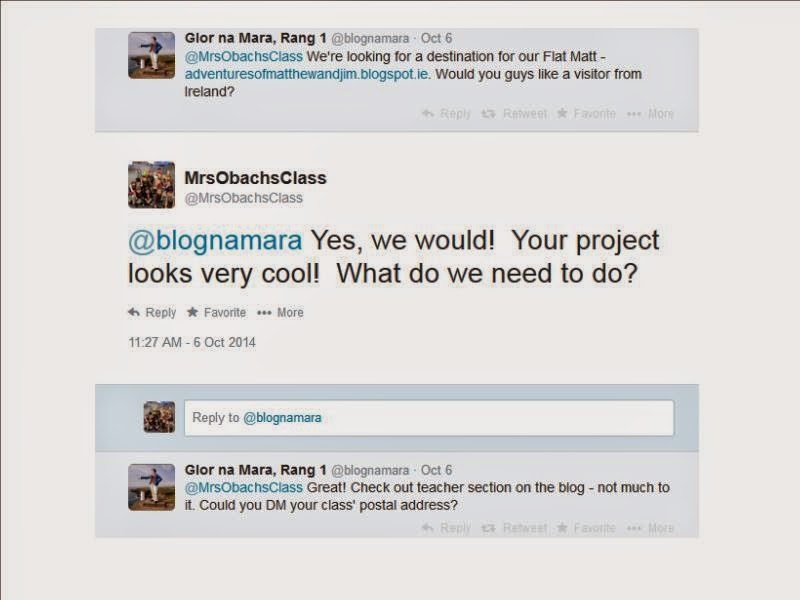
Matt, also known as "Flat Matt",  was sent to us by a 1st Class (six and seven year olds) at Glor na Mara Primary School who connected with our class on Twitter.  You can follow them here: @blognamara


We are so excited to look inside Matt's scrapbook and learn more about his home in Ireland!  The students at Glor na Mara have included photos and captions to show us and tell us all about their school and community.   As Matt travels the world, his twin brother, Jim, will be traveling around Ireland.  Their progress will be documented in their scrapbooks and online at the Adventures of Matthew and Jim blog.  We are feeling lucky to be included in this interesting project and we can't wait to show Matt around our school and community!


Wednesday, October 15, 2014

Making Connections Across the Country

Collaboration is very important in our classroom.  We work together within our classroom walls and also reach out to other classrooms around the world to learn together, share our work and find out more about other people and places!

There are some important reasons why I believe this kind of collaboration is so important for my young learners:
  • learning about other communities, traditions, cultures and lifestyles
  • generating good questions to find out more about others
  • active listening to learn about others and answer our questions
  • being able to understand a question and provide an answer as a part of oral or written communication
  • learning how to use technology to work with others (which is now common in our everyday lives and in many careers)
  • fostering teamwork
  • learning geography - we often use mapping to find out where our partner classrooms are located, how far away they are from our location and how long it would take to drive to them
  • meeting curricular outcomes - often our collaborative work leads to learning projects which give authentic contexts for teaching and learning in various subject areas

Last week, we had the opportunity to meet a new classroom of friends from Milton, Ontario.  Ms. Dorland put out a request through the Microsoft Canada Education group on Yammer asking for other Grade 2 classrooms who would be willing to help her and her class with a special project.  I sent a message asking for more details and eventually we set a date for our classes to meet.

We were really excited to help these new learning partners with their first video conference call and we could definitely tell how excited they were to meet us!  Ms. Dorland's Grade 2s had lots of interesting questions to ask us and we had some questions for them too.  We couldn't quite fit all of our questions in, so we've continued communicating using Twitter.  My students were able to use our classroom tablets to "show" Ms. Dorland's class our playground - something they were curious about on our call.  Students worked with a partner to photograph something on our playground and compose a short message to send from our class Twitter account. 


Our class is finding it very interesting to learn about the weather, community, stores and even the playground in Milton.  We have found that there are lots of things we have in common, but also some differences too.  We are glad to work with some new people and we look forward to continuing the connection!


Wednesday, May 1, 2013

Recycle for Good Garage Sale: Animal Adoption

As I explained in a previous post, the grade 1s held their Recycle for Good Garage Sale on April 18th & 19th.  Their goal was to raise funds to help people in Africa (through World Vision) and to help animals (through the World Wildlife Fund Symbolic Adoption Program).  The idea came from Lilly, a student who was watching television one night and saw a commercial that showed some people in Africa need help getting clean water and fresh food.  Our class had discussed the idea of a garage sale earlier this school year, when we were brainstorming ways of fundraising for symbolically adopting animals.  We decided that our garage sale could benefit both people and animals!  When the Grade 1s decide to do something, they do it right....they raised $464 to help others! 


 Earlier this week, students suggested animals we may want to help from the WWF's symbolic adoption website.  Then students voted for the animals they would most like to adopt. Today, we were on a Skype video call with our partner class, Mrs. Caldwell's Kindergarten at Oak Lake Community School.  Students were sharing how well the garage sale went and one of the Grade 1s asked the Kindergartens if they would like to vote to help us choose the animals to adopt.  Here's our voting:


After we finished our call with the Kindergartens, we officially adopted 1 meerkat and 1 orangutan.  We can't wait for our adoption kit to arrive!


Wednesday, April 24, 2013

Another successful student-led project!

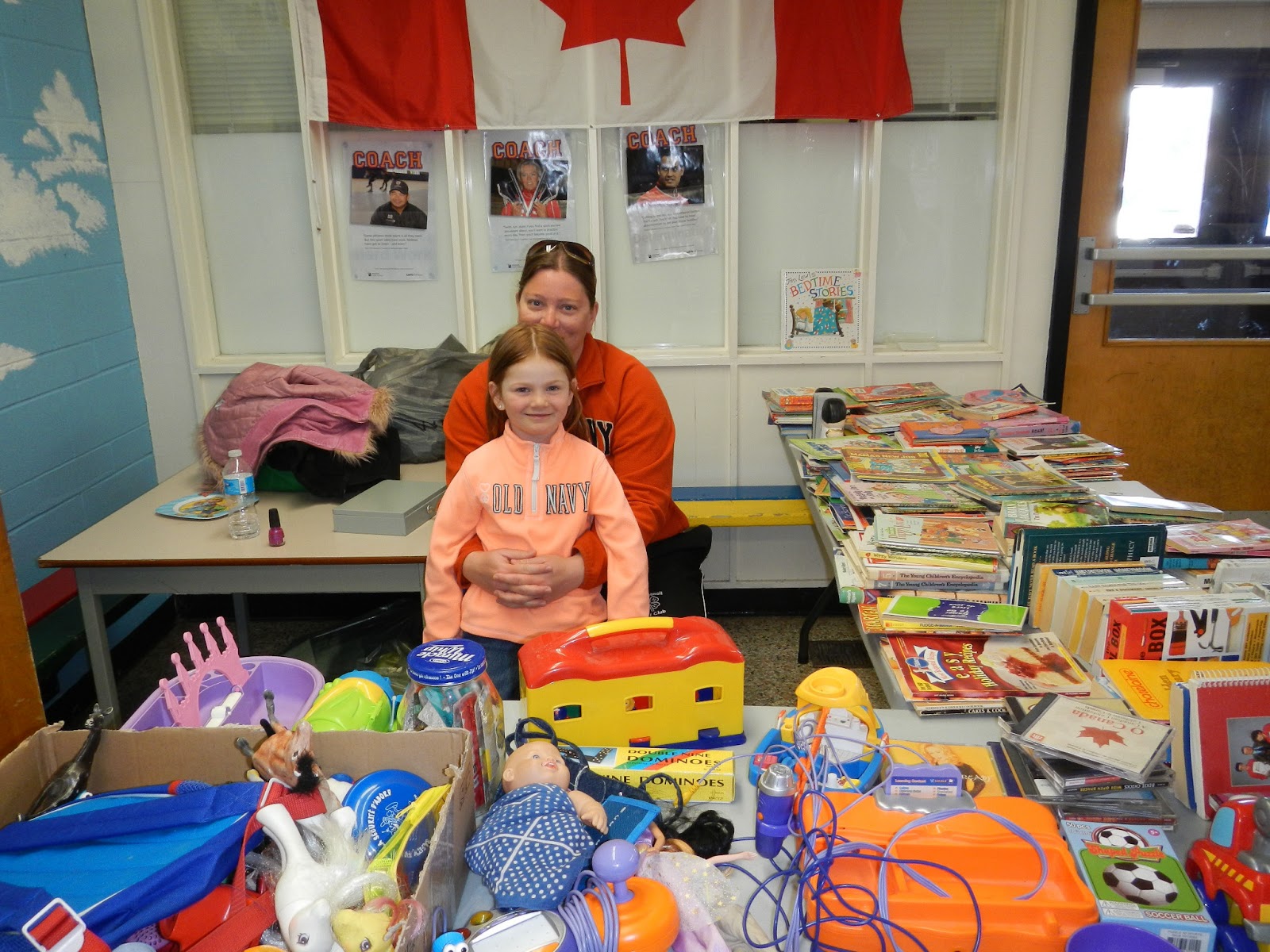
The grade 1s held their Recycle for Good Garage Sale on April 18th & 19th.  Their goal was to raise funds to help people in Africa (through World Vision) and to help animals (through the World Wildlife Fund Symbolic Adoption Program).  The idea came from Lilly, a student who was watching television one night and saw a commercial that showed some people in Africa need help getting clean water and fresh food.  When she shared her idea to help people in Africa the next day at school, everyone in our class was excited to help  make it happen!  We had lots of supporters to help us too.  Community members and families donated many items to sell at the garage sale, parent volunteers helped grade 1 students work each shift of the garage sale and many shoppers came to buy items that they could use.  When our final volunteers totaled the profits, the grade 1s had raised $464!!
 This week, we visited the World Vision website to see what we could put our donation towards.  Since our goal was to provide food and water for people in Africa, we made a list of things that we might want to choose.  Then we added items to our "cart" until we were close to the amount we had to donate.  We were able to provide 1 pig, 1 sheep, 1 goat, 3 agricultural packs and clean water for 1 family! 


Throughout this project, it was very exciting for me to watch as my students identified a real problem that concerned them, then made a plan to make a difference and to see their tremendous success!  It never ceases to amaze me what young learners can do when we let them! Way to go Grade 1s, I am such a proud teacher!

Tuesday, April 2, 2013

Recycle for Good Garage Sale

Things got pretty busy in March and my blogging was neglected.  However, my students and I were keeping very busy...

One of the exciting things that we have been working on is our "Recycle for Good Garage Sale".  One of my students brought me the letter below and acted as a passionate advocate for helping others.  She asked me if she could talk to her peers about her ideas and then worked with them to come up with a way to fundraise to help people in Africa.
Our class had talked about the idea of a garage sale earlier in the year when we were thinking of ways to fundraise to adopt polar bears, so it seemed like a good time to put our idea into action for a good cause!  We chose dates that coincide with our Celebration of Learning because families will already be visiting our school on those days.  We already new that we wanted to adopt another species from WWF, but since we had a new focus of helping people in Africa, we had to research organizations working in that area.  Next, we designed posters and chose locations to advertise our garage sale.  We shared our posters electronically and students also put them up in our community.  Currently, we are collecting items to sell and seeking volunteers to help run the garage sale.  It's another exciting learning adventure for our class!