Showing posts with label digital posters. Show all posts

Tuesday, May 24, 2022

Digital Posters by Grade 3/4

I had the opportunity to help Ms. Ward's Grade 3/4 class design digital posters to showcase their knowledge.  We started by reviewing some exemplars from other students and we co-constructed criteria for our own posters.  We reviewed some key skills like changing page layout, adding text boxes, adding images, changing fonts/colours and changing backgrounds.  Then, students used Google Slides with images from pixabay.com to create a poster that met the criteria.  

To learn more about designing digital posters and see more student samples, visit this blog post. 

Thank you to these students for sharing their work with us!


Tuesday, January 19, 2021

Six Word Memoirs

I've been sharing this Six Word Memoir learning activity created by Sarah Landis & Lisa Highfill with my colleagues.  I've also tried it out with a few classes and found it to be an engaging writing activity with some great options for infusing technology.  If you want to try this out, use the link to Landis & Highfill's hyperdoc above to get started!   

When I shared this activity in classrooms, we began by viewing a moving video called "The Conditioned" which is about a man named Raimundo and his life.  I've watched it several times now and it's super powerful every time.  

Students were then tasked with developing a six-word memoir to describe Raimundo's life.  Some of our Park West School Division students posted their completed memoirs to Padlet, so you can see samples  below:


Next, students thought about their own lives and wrote six word memoirs for themselves.  This was a bit more challenging, but students came up with some excellent memoirs to highlight their lives.  Once they'd chosen their six words, students designed a digital poster to share their memoirs.  Some classes used  Google Slides to put together their images and text and other classes used Canva to design their digital posters.  They turned out to be beautiful pieces of work and several students agreed to let me share their memoirs.  You can see some student samples below, courtesy of Mr. Baskerville's Grade 6 class and Mrs. Bowley's Grade 6/7 class.  


Friday, January 31, 2020

Designing Digital Posters with Binscarth Grade 7/8

I had the opportunity to work with an awesome group of Grade 7 and 8 students at Binscarth School last week.  This group of students used Canva to design digital posters related to the concepts they are studying in science class.   The posters turned out really well, so I asked students for permission to share their work here on my blog - you can see their designs below!

Designing digital posters is about more than just learning to use technology tools.  This project integrated important Literacy with ICT skills and science knowledge.  

  • We began by co-constructing criteria for our work, which relates to LwICT outcome P-1.2 participates in establishing criteria for own work. 
  • Next, students had to select a concept/term from their science studies and develop a description/definition of the term (which links to science outcome 8-3-01 Use appropriate vocabulary related to their investigations of fluids and LwICT outcomes G-1.1 gathers information from given source(s) and G-2.1 identifies relevant information from sources)
  • Then, students had to select images that related to their concept and design a poster that conveyed the meaning of their concept/word (which links to the "Produce to Show Understanding" section of our LwICT continuum, particularly P-2.1 uses a given format to demonstrate learning and P-3.1 edits work based on feedback from teacher and/or peers, according to established criteria, conventions, and/or standards). 
  • The final designs turned out really great!  Plus, I think that students will be able to use their knowledge of how to design digital posters as a way of sharing their learning for other projects and activities.  


P.S.  Canva recently announced free premium accounts for educators - get the details here!

Wednesday, May 23, 2018

Produce to Show Understanding: Designing Digital Posters

In Manitoba, we have a Literacy with ICT model for 21st century learning.   Our aim is to support students in developing skills to think critically and creatively using ICT .  One of the Literacy with ICT resources available is a continuum of skills.   The continuum includes goals for students to "Produce to Show Understanding".   We want students to demonstrate understanding of their learning, which can be achieved using a variety of formats.   In addition to the more traditional ways that students can share their knowledge, there are many ways that students can share their learning using technology.   One option that I have explored in PWSD classrooms this year is having students design digital posters to demonstrate their understanding. 

Possibilities
When supporting the use of technology in our school division, I aim to be responsive to the goals and needs of students and teachers.  I try to find ways for technology to support or enhance the learning already happening in classrooms.  Supporting students with designing digital posters is an activity that fits well with a variety of learning activities.   I've worked with students and teachers to create digital posters for a variety of subjects/topics.  Here are a few examples:
  • designing posters to share highlights from a social studies inquiry topic such as Canada's North
  • producing digital posters with key information about endangered species as part of a research project 
  • creating movie posters based on a novel
Thinking Critically and Creatively 
Students engaging in the task of designing digital posters often have to summarize or parse down  information, which is an important critical thinking skill.   They also have to make design decisions about font, images, spacing and style.  Designing a digital poster requires creative skills just like designing on paper!   

Going Beyond the Classroom
I'm passionate about students sharing their work beyond the classroom, so I really like that these posters can easily be shared with a wide audience.   Some classes have shared their work on social media and some have allowed me to share their work here on my blog and/or on my social media channels.   Digital posters can easily be uploaded to a variety of platforms for sharing.  This relates to another dimension of our Literacy with ICT continuum, focused on communication.  We want students to be able to share ideas, information and work.

Tech Tools
Students designing posters on iPads used PicCollage.  Students designing on computers created student accounts at Canva.  I encourage students to source public domain images from Pixabay (web or app based) or similar sites. 

Student Samples: The Outsiders
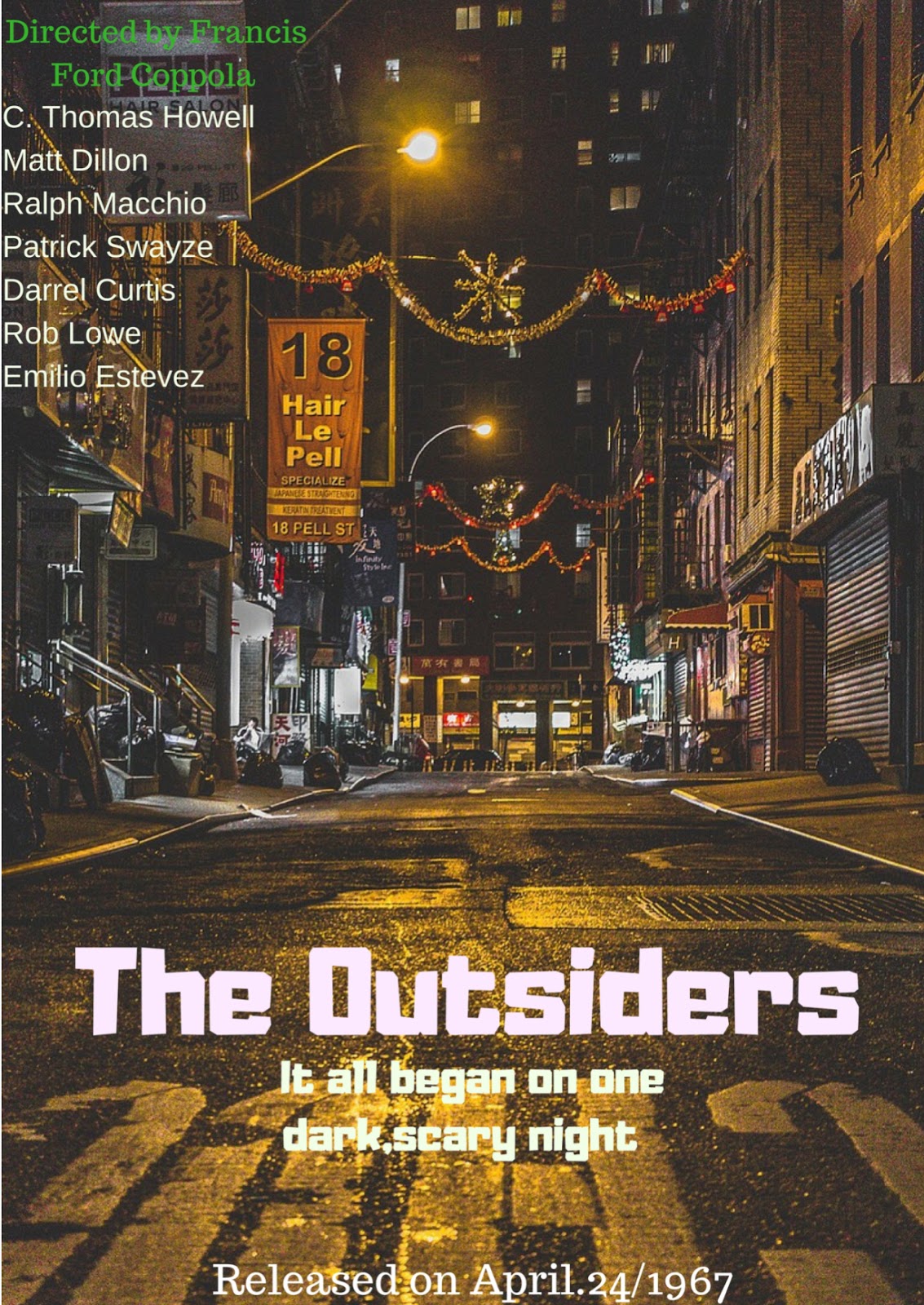
I worked with Mrs. Dyck's ELA class at Strathclair Community School this month to support them in designing digital movie posters.   The class had just read the novel The Outsiders by S.E. Hinton and Mrs. Dyck tasked them with designing a catchy poster for the video version.   Students were asked to research the actual cast, release date and producer of the film and then to use their creative talents to develop a tag line.  Students were encouraged to make their designs visually appealing and easy to read.  Check out their work below!


Thanks to Mrs. Dyck's class for sharing your work!